With the release 3.6.0 we have raised the Debian support in orcharhino to a new level! In addition to the support of the orcharhino client for Ubuntu systems, we have added the package management of Debian-based systems in orcharhino: If a Debian-based system is managed via orcharhino, the installed packages of this system are listed in orcharhino from release 3.6.0. Packages from this list can be selected and the uninstallation of these packages from the system can be triggered.


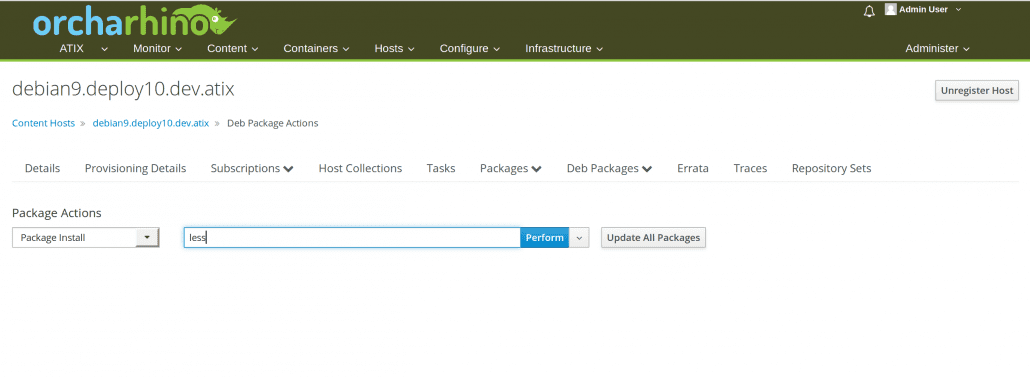
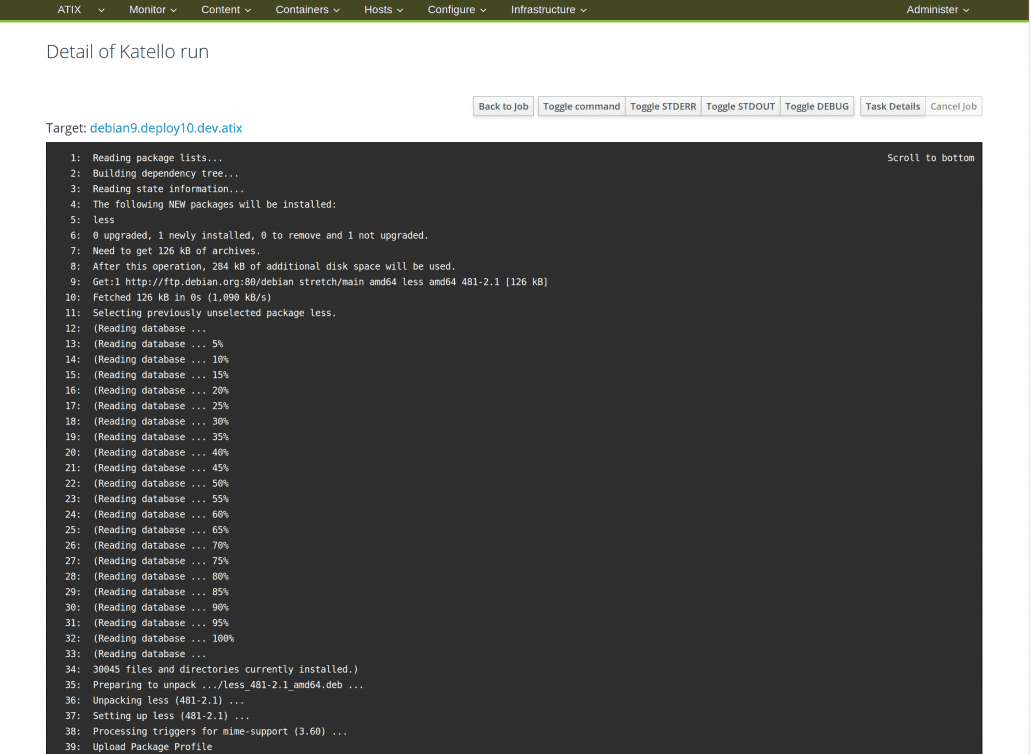
In addition, masks are available for installing, deleting or renewing packages on this system. Furthermore, all packages on this system can be updated with a single command. The installation/uninstallation/update runs – as already described – via a separate mask. As soon as the action has been started, progress can be tracked step by step and a summary of the commands executed is displayed at the end, e.g. to install a “less” package. As soon as the action has been successfully completed, you naturally want to see the current status of the system again in orcharhino. For this purpose, the Debian-based system executes a hook script that updates the current package list in orcharhino. This means that you can always see the current status of the systems directly in orcharhino and do not have to switch to the respective systems.

This is an important step towards Debian support in orcharhino for us. But there’s more – stay tuned.
After we developed our own plugin for the integration of the SUSE Customer Center in June and massively improved the SUSE support of orcharhino, support for Debian-based systems was at the top of our agenda.
In addition to Debian itself, we also count Linux distributions using the „deb“ package format, i. e. distributions like Ubuntu or Linux Mint, as Debian-based systems.
But what exactly are the news here? Up to now you could install Debian systems with orcharhino and configure them using Puppet, Ansible or SaltStack. Because the Debian package management for Debian did not yet exist in orcharhino, it was not possible to implement the lifecycle management for Debian servers via orcharhino. However, this feature is the elementary part of our orcharhino story: Deployment, Patch Management, Configuration Management.
It is essential for an administrator to retain control over which packages are made available in which version for the respective servers of the different lifecycle environments such as development, testing and production. This is the only way to ensure that the correct packages and versions are installed on a server and, if necessary, updated via Patch Management.
We have invested a lot of time and energy in the last few months to make this missing piece of the puzzle available to our customers. With the Tech Preview Release on the occasion of our Open Source Automation Day (http://www.osad-munich.de) we have closed this gap. With this feature we not only extend our build system significantly, but we have also written many lines of code for open source projects such as Pulp, Katello and Runcible to integrate our Debian extensions.
But enough of words. Surely now you want to see how the package management for Debian is implemented.
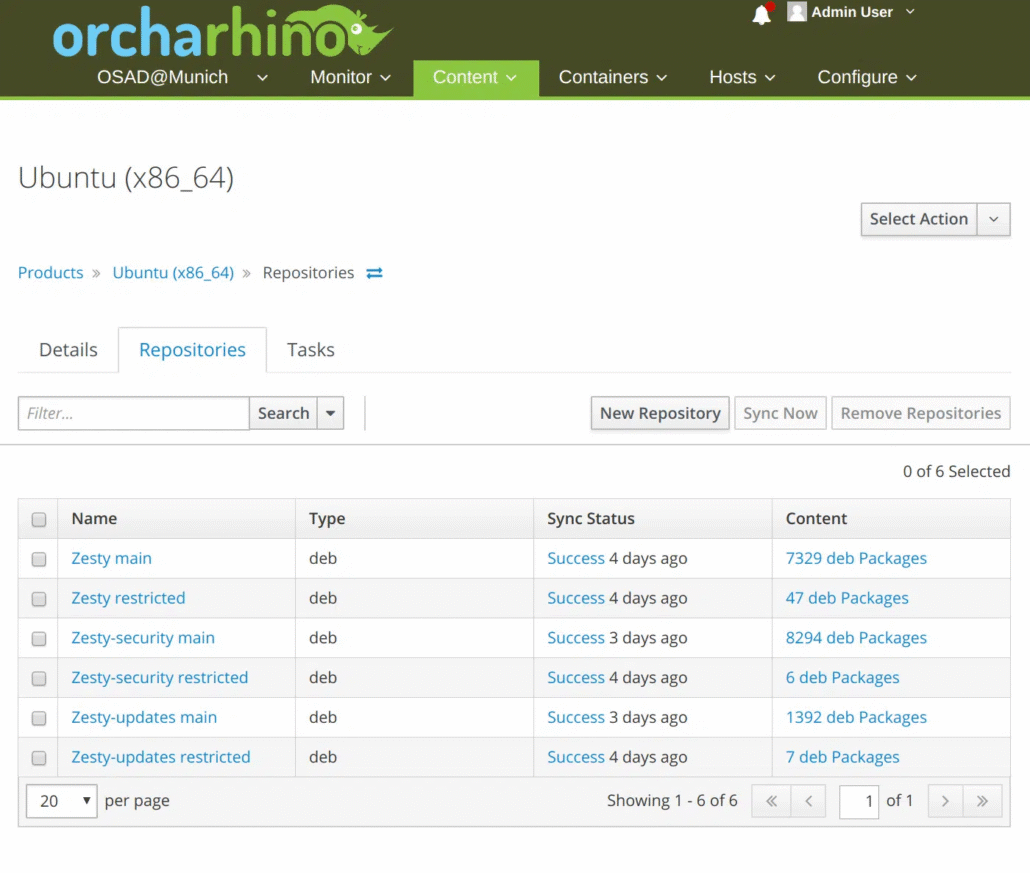
As with RPM-based systems, you first need a product. Various repositories can then be added to the product – such as “yum”, “Puppet” or even “deb” for Debian-based systems. What should be noted with “deb” is that the URLs of the repositories are always the same and a differentiation of “Component”, “Release”, “Architecture” is specified via a filter.

After adding the repository, you have to synchronize it. All Debian packages will be downloaded from the upstream repository, which are also in accordance with the filters for „Component“, „Release“ and „Architecture“.
Content View now implements lifecycle management. After creating a new content view, you select different repositories that are managed within this content view. You can combine different types of repositories into one content view. We have added the type „deb repositories“ here. In this tab you can see a list of repositories already assigned to the content view. On the other hand, you can assign further repositories.
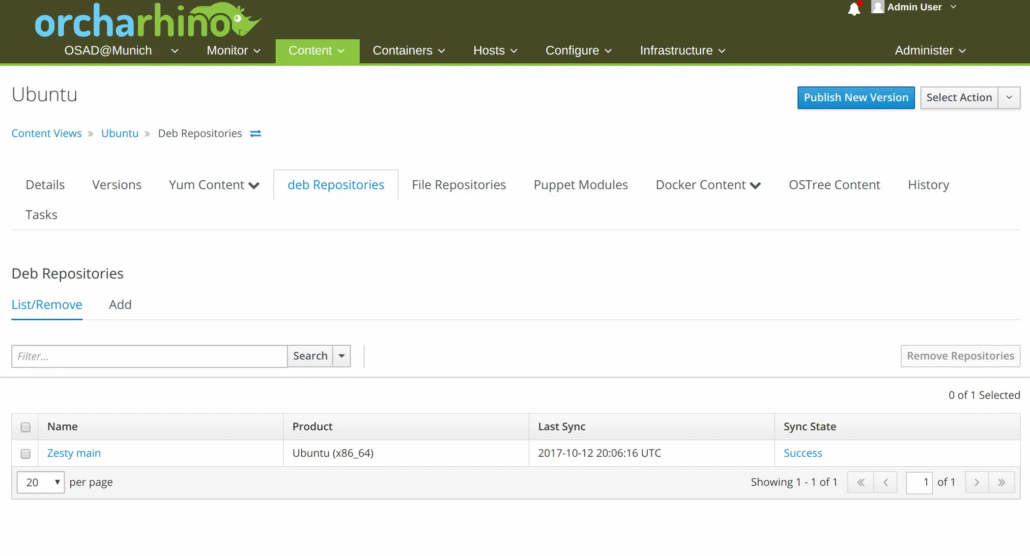
As usual, you have to publish this content view via “Publish” and later assign it to the respective lifecycle environment via “Promote”. For our first release of Debian Support that was it – almost. Briefly on the use of the content view: For RPM-based systems, one is used to getting access to the provided Content Views via an Activation Key. This is where we want to go with Debian. Unfortunately, this does not yet work so elegantly, but we are working hard on it.However, we have created a way to use the content view anyway: Using a provisioning template provided by us, the /etc/apt/sources.list is manipulated when the Debian host is installed and the repositories of the Content View are automatically entered.This provisioning template is automatically installed via our orcharhino web installer automatically. It also ensures that the Debian host only receives the packages in the versions that are configured via the content view of the respective lifecycle environment.If you create a new Debian host, the packages are provided directly via
In future, we want to manage the Debian systems in the same way as CentOS, Redhat or SuSE. For us in the development team at ATIX AG, Debian support is still at the top of our roadmap. We will continue to work with the Foreman / Katello community to provide the best possible Debian support for our customers in