If new servers are needed on a regular basis, every manual installation takes time. Different procedures and custom scripts make it difficult to set up systems consistently every time.
With orcharhino’s Provisioning Management, IT teams can automate the deployment of new systems – from bare metal to virtual machines and cloud instances.
Automated deployment of new servers
Consistently reusing equal standards
Manage provisioning centrally from a single interface
Server Provisioning refers to the process of setting up a new physical or virtual system. This turns a new or reset machine into a system that is installed and ready for operation.
Depending on the environment, provisioning may include, for example, the installation of the operating system, network and system settings, partitioning, package sources, and any required base packages or software.
As infrastructure grows, it is not just the number of new systems that increases. At the same time, different platforms, operating systems, and technical specifications must be taken into account. What still works with checklists or individual scripts when there are only a few servers quickly becomes time-consuming when deployments are carried out regularly. Setting up systems according to the same standards time and repeatedly becomes increasingly difficult.
Many manual steps
more time-consuming
lack of standardization
increasing complexity
Professional provisioning therefore involves more than simply installing an operating system. The entire process should be standardized, automated as far as possible, controllable centrally, and integrate seamlessly into the existing IT environment.
orcharhino brings together the key steps in the deployment process. Standards are defined once and reused for new servers. Depending on the environment, the installation can be initiated via the network, a boot disk, an image or via Discovery.
Host Groups and Templates represent typical server types. The operating system, package sources and key settings are defined once and then reused.
An administrator or internal user selects the appropriate server type – either directly or via a self-service portal. After that, only details such as name, network and target platform are required.
orcharhino can create virtual machines directly on the connected platform.
Depending on the environment, orcharhino integrates DNS and DHCP and provides the necessary boot and provisioning files.
The installation runs automatically using the appropriate method – for example, Kickstart, AutoYaST, Autoinstall or Windows Unattended.
Alternatively, existing images or VM templates can be used.
Package sources, registration and other management access options are prepared.
Subsequent configuration management steps, for example using Ansible, can also follow straight away.
The new server is ready in accordance with the specified standards and can be integrated directly into the central content, configuration and patching processes.
The key difference is that, once installed, the server isn’t simply ‘there’. It is already integrated into the central processes for content, configuration and patch management. This means that, once a server type has been defined, it can be deployed multiple times in accordance with the same standards.
Recurring installation and integration steps are carried out automatically.
The team does not need to set up each server individually.
Previously defined standards can be reused.
As a result, similar systems are created according to the same specifications.
Physical servers, virtual machines, and cloud instances are managed via a central interface – regardless of how they are technically deployed.
Enable self-service
Predefined server types provide the basis for internal teams to request shared systems themselves – without the need for in-depth provisioning knowledge.



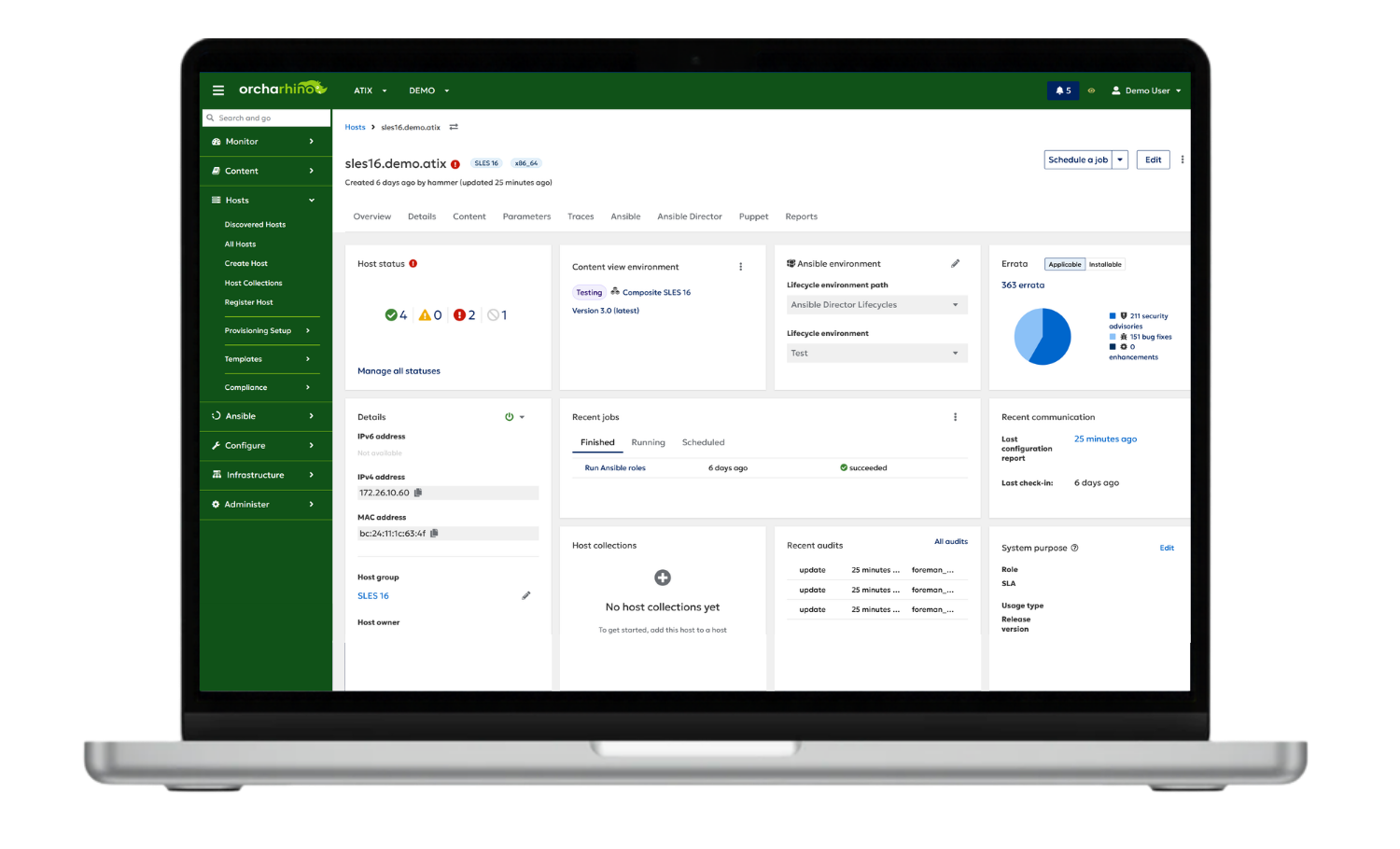
Find out in a personalised demo how you can centrally prepare new servers, install them automatically and integrate them directly into your existing management processes.
A good solution should do more than just install the operating system. It should be able to take care of routine tasks, reuse standards, and manage different target platforms centrally.
It is also important that new systems are always developed in accordance with the same specifications and are integrated directly into the wider administrative framework. In isolated networks, they should be able to access the required content even without direct internet access.
orcharhino combines server provisioning with additional functions for managing IT infrastructure. The solution integrates the standardized provisioning of physical servers, virtual machines, and cloud instances with Configuration Management, Content Management, and Patch Management. This allows new systems to be provisioned centrally and integrated directly into ongoing management processes.
Aspect | Manual / distributed approach | orcharhino |
|---|---|---|
Procedure | Many individual steps and tools | manages the provisioning process centrally |
Standards | Settings are maintained on a per-system or per-script basis | uses host groups and templates to define reusable standards |
Target platforms | Separate workflows for physical servers, virtual machines and the cloud | centrally manages various target platforms |
Network services | DNS, DHCP and boot services need to be coordinated separately | integrates existing network services into the provisioning process |
Operating systems | Deployment varies depending on the distribution and platform | supports standardized procedures for several Linux distributions and, in addition, Windows |
After installation | Data is transferred to other management tools separately | integrates new systems directly into content, configuration and patching processes |
Procedure
Manual / distributed approach Many individual steps and tools
orcharhino manages the provisioning process centrally
Standards
Manual / distributed approach Settings are maintained on a per-system or per-script basis
orcharhino uses host groups and templates to define reusable standards
Target platforms
Manual / distributed approach Separate workflows for physical servers, virtual machines, and the cloud
orcharhino centrally manages various target platforms
Network services
Manual / distributed approach DNS, DHCP, and boot services need to be coordinated separately
orcharhino integrates existing network services into the provisioning process
Operating systems
Manual / distributed approach Deployment varies depending on the distribution and platform
orcharhino supports standardized procedures for several Linux distributions and, in addition, Windows
After installation
Manual / distributed approach Data is transferred to other management tools separately
orcharhino integrates new systems directly into content, configuration, and patching processes
orcharhino is specifically designed for Linux-dominated server environments. In addition to numerous Linux distributions, Microsoft Windows systems can also be provisioned. Different provisioning methods are used depending on the platform and operating system.








orcharhino allows you to centrally deploy a wide range of Linux distributions and Windows Server.
Automated deployment of physical servers
orcharhino supports the automated provisioning of physical servers – from the boot process right through to a fully installed and connected system.
Deploy virtual machines directly
Virtual machines can be created on connected virtualization platforms and then provisioned automatically.
VMware · Proxmox · oVirt/OLVM · KVM/libvirt
Automated deployment of cloud instances
Cloud instances can also be created via connected cloud platforms and integrated into the provisioning process.
AWS · Google Cloud · Azure
Tech Preview: Hetzner, STACKIT
What methods does orcharhino support for Server Provisioning? Not all infrastructure works in the same way. That is why orcharhino supports various methods for automatically provisioning new servers.
Discovery
Which provisioning method is suitable depends on the existing infrastructure. When booting over the network via PXE, existing network services such as DHCP are usually used. If network booting is not possible or not required, a boot ISO can initiate the automated provisioning process.
Images and VM templates are particularly well suited to virtual machines and cloud environments. Discovery, on the other hand, is primarily designed to support physical servers by automatically detecting new systems and capturing key hardware and network data.
For suitable scenarios, orcharhino also enables zero-touch provisioning: once the standards have been defined, provisioning can take place almost entirely without any further manual installation steps.
orcharhino does not need to replace existing services. DNS, DHCP, virtualization, and cloud platforms can be connected and incorporated into the provisioning process. Provisioning can also be integrated into existing automation, self-service or ITSM processes via the user interface, command line and API.
A possible self-service scenario: IT defines approved server types. Users simply select the required variant and enter a few details. In the background, a portal triggers the process via the orcharhino API. This enables internal teams to request new systems without needing to know the technical details of provisioning.
Even isolated networks can be integrated: new systems can obtain the required content via orcharhino or an orcharhino proxy. Direct internet access for the target systems is not strictly necessary for this.
If orcharhino meets your requirements, we guide you through a structured implementation in your environment.
In the architecture workshop, we define requirements and target architecture.
We install orcharhino and configure it to match your environment.
We integrate existing systems with orcharhino step by step.
We move orcharhino into production in a controlled manner.
Companies use orcharhino to provision new servers in accordance with standardized guidelines, to automate recurring installation steps and to reduce the manual effort involved in rollouts. Selected customer testimonials illustrate how automated server provisioning is used in various IT environments.
“Host groups were used to provision VMs running SUSE Linux to meet various requirements. Automated deployment accelerated the migration project.”
Marco Kastner, Administrator Max Bögl
“The system registers with the Puppetmaster and retrieves its definition, configures itself automatically, and we receive the fully pre-configured system practically on demand.”
Lioh Möller, System Administrator Hochschule für Technik Rapperswil (HSR)
“When orchestrating a server environment with several thousand hosts […], orcharhino saves us a significant amount of time in managing our server environment.”
Michael Beckmann, Head of Unit Server Administration Deutsche Börse AG
Server roll-out and configuration
up to 5 times faster
APA-IT uses orcharhino to automate the setup, installation and pre-configuration of new systems. As a result, the roll-out and configuration of multiple servers are up to five times faster than with a manual approach. Once defined, these specifications can be reused for further systems. This reduces repetitive work and makes it easier to deploy new servers in according to consistent standards.








Provisioning first deploys the operating system and establishes the technical foundation of the server. Further system and application configurations are typically implemented through Configuration Management.
Both steps can be centrally linked using orcharhino. For example, after deployment, another configuration can follow immediately using connected configuration management tools.
Yes. A server does not have to be reinstalled using orcharhino in order to be managed centrally afterward.
Existing supported systems can be registered and integrated into further management processes.
Not necessarily. Installation files, packages, and other required content can be provided via orcharhino or orcharhino proxies.
This also allows for the operation of isolated environments. For completely isolated, air-gapped environments, additional procedures for exporting and importing content are available.
Yes. Existing DNS and DHCP services can be integrated into the provisioning process. This means that the existing network infrastructure does not necessarily have to be replaced.
Depending on the architecture, the required services can be connected via the orcharhino server or orcharhino proxies.
In suitable environments, yes. Once server types and standards have been defined, deployment can proceed almost entirely without any further manual installation steps.
The extent to which the process can be automated depends on the platform, the network, and the chosen provisioning method.
Yes. orcharhino provides an API and can therefore be integrated into existing automation, self-service, or ITSM processes.
For example, an existing self-service portal can request an approved server type via the orcharhino API, while the technical specifications remain defined centrally by the IT department
Once specifications have been defined, they can be reused for new systems. This allows similar servers to be deployed repeatedly according to the same standards.
Technically, this involves the use of host groups, provisioning templates, and compute profiles, among other things.
See how you can deploy new systems with less manual work, reuse standards, and hand off your servers directly to further management in a personalized demo.
Server provisioning is part of orcharhino’s comprehensive Infrastructure Management solution. Discover more core features for the centralized control and automation of your IT infrastructure.
Manage configurations centrally and keep them consistent
Identify vulnerabilities and monitor security status centrally

